Hugo's built-in shortcodes
figure, details, highlight, qr, param, ref and relref — the shortcodes Hugo ships with, all working in nocturne without the theme adding any of its own.
A shortcode is a small template you call from the middle of Markdown, written as {{< name params >}}. Hugo ships a set of them, and this post tries each one in turn. Every section shows the source first and the result right after.
The shortcodes that embed third-party content (YouTube, Vimeo, X, Instagram) are left out: they pull in code from someone else’s servers as soon as the page opens, and a demo site should not push that on its visitors.
Why nocturne has no shortcodes of its own
A post that uses a theme’s own shortcode is tied to that theme: switch themes and the build fails on that post, and you are left fixing files one by one. nocturne wants your content to stay plain Markdown that reads fine on GitHub, in your editor, and wherever you move it next.
Everything the theme does to your content goes through render hooks instead: captioned images, GitHub-style alerts, scrolling tables, links to .md files. You write standard Markdown and the theme handles the presentation. If you really need a shortcode, put it in your site’s layouts/_shortcodes/ — it belongs to your content, not to the theme.
figure
An image with a caption and a link, written as a shortcode rather than Markdown image syntax:
{{< figure
  src="https://tiennm99.github.io/nocturne/img/tinh-tu-static.png"
  alt="A test card with six vertical colour bars"
  caption="A test card, stored in the static folder."
  link="https://en.wikipedia.org/wiki/Test_card"
>}}
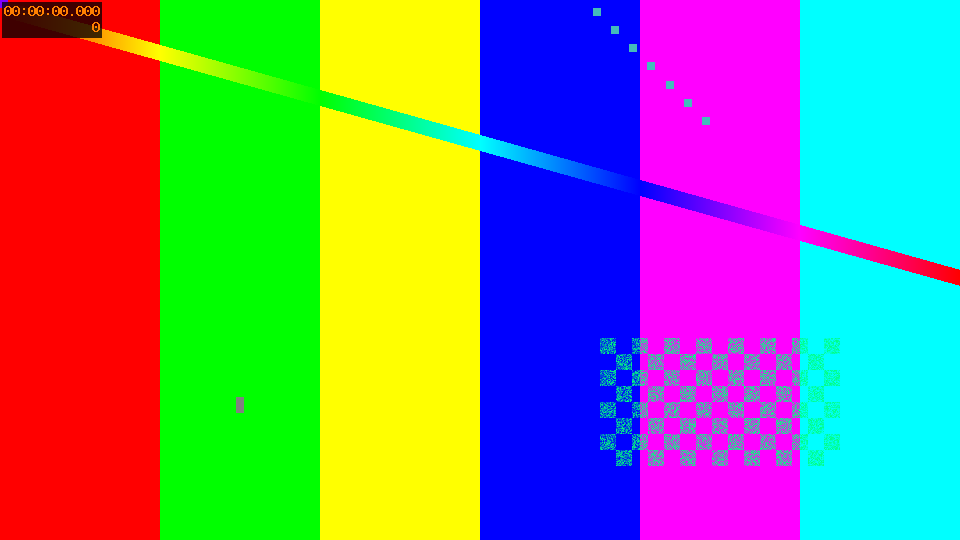
A test card, stored in the static folder. Click the image to read about test cards.
For an image in the bundle, the Markdown syntax  produces the same <figure> and adds a srcset on top; see the post about images.
Sites in a subfolder
figurelooks forsrcin the bundle and then inassets/, but it does not add the base path to files instatic/. The demo lives under/nocturne/, sosrc="/img/tinh-tu-static.png"would point outside the site; that is why the example above uses a full URL. Markdown image syntax has no such problem, because the theme’s render hook adds the base path for you.
details
A collapsible block whose content is still written in Markdown:
{{< details summary="Show the top of hugo.yaml" >}}
...
{{< /details >}}
Show the top of hugo.yaml
The first three lines of hugo.yaml for an English site using nocturne:
theme: nocturne
languageCode: en
defaultContentLanguage: en
The full required block is in the configuration docs.
Add open=true to have the block open when the page loads.
highlight
The same highlighter as fenced code blocks, with the options passed as shortcode parameters:
{{< highlight go "linenos=inline,hl_lines=3" >}}
...
{{< /highlight >}}
1func greet(name string) string {
2	if name == "" {
3		name = "friend"
4	}
5	return "Hello, " + name
6}
In a post, a fenced block such as ```go {hl_lines=3} is tidier; highlight earns its keep when the code sits inside a template or another shortcode.
qr
Generates a QR code at build time, as a PNG served with the site:
{{< qr text="https://tiennm99.github.io/nocturne/" alt="..." />}}

Scan it with your phone to open this demo.
param
Reads a parameter, looking in the page’s front matter first and then in the site’s params:
| Source | Result |
|---|---|
{{< param "author" >}} | Your Name |
{{< param "toc.minWordCount" >}} | 400 |
{{< param "description" >}} | figure, details, highlight, qr, param, ref and relref — the shortcodes Hugo ships with, all working in nocturne without the theme adding any of its own. |
The last row is a small trap: the site has params.description, but this post has a description in its front matter too, so param returns the post’s own. The dot in toc.minWordCount reaches into a nested parameter.
ref and relref
These two look up a page by its path under content/ and return its URL. If the page does not exist the build fails, so a broken link can never go live.
refreturns the full URL:https://tiennm99.github.io/nocturne/2026/07/03/khoi-code/relrefreturns the path without the host:/nocturne/2026/07/03/khoi-code/
Most of the time they sit inside a Markdown link, optionally with a # fragment pointing at a heading:
[A Markdown tour]({{< relref "/post/2026/05/07/sample" >}})
[its Alerts section]({{< relref "/post/2026/05/07/sample#alerts" >}})
The result: A Markdown tour and its Alerts section.
In nocturne, a Markdown link straight to the file, such as [post](/post/2026/05/07/sample/index.md), gives the same URL without any shortcode; ref and relref still pay off when you want the build to stop the moment the target page disappears.
Comments